
Guided or Express: pick a consultation mode
Choose between the two consultation modes so your AI team asks just enough questions to plan your app well.
What you'll do
When you start a consultation, you pick how your AI team works with you. This guide explains the two modes — Guided and Express — so you choose the one that fits your idea and the time you have.
Step 1 — Open your consultation
Head to the Consultation area and start a new one. You'll tell your AI team a little about your project, then pick a mode before the questions begin.
Step 2 — Choose Guided for the most thorough plan
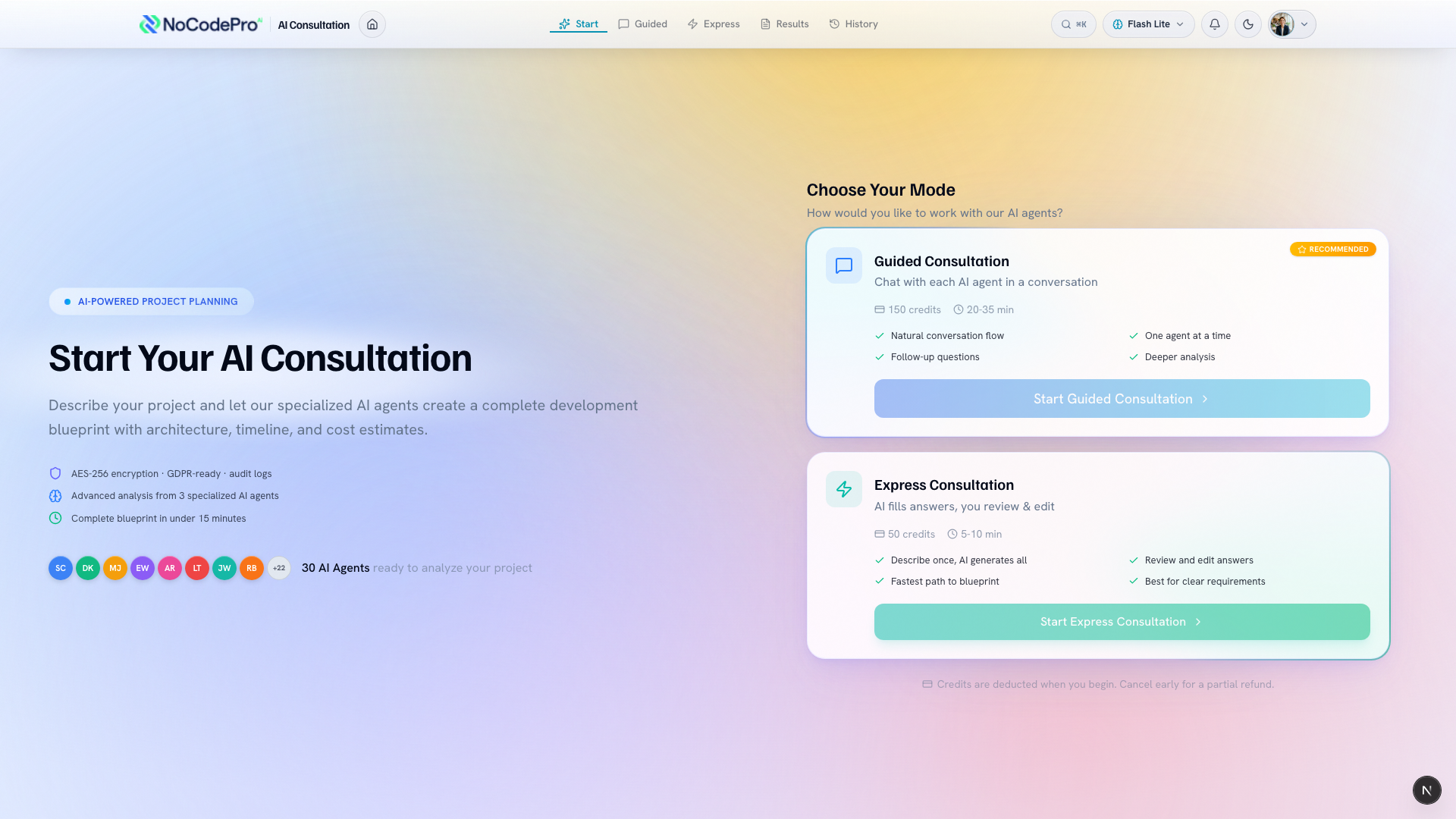
Guided is the deepest option. Every department on your plan reads your brief first and works out what it still needs from you. Those questions are then pooled, and you are asked the ones that matter most — once each.
That last part is the bit worth knowing: when three departments all need to know who your customers are, you answer it once and all three are served. You are never asked the same thing twice by different specialists, and you are never walked through a department that already has what it needs.
Pick Guided when your idea is bigger or you're not sure how to describe it. The extra back-and-forth means a richer Blueprint and fewer surprises later. It's the recommended mode, and it takes a little longer — usually around 20 to 35 minutes at the Balanced depth.
Step 3 — Choose Express for a faster pass
Express keeps things moving. You describe your idea once, the AI fills in the answers for you, and you review and edit them before your Blueprint is written. It's the fastest path — usually about 5 to 10 minutes.
Pick Express when your idea is fairly clear in your head, or when you want a quick first plan you can refine afterward. You still get a real Blueprint you can read, edit and share.
Express also brings in a smaller group of your departments than Guided does — enough to write a solid plan, without the full team weighing in. You can bring the rest in from the start screen if you would rather have them, and the price on screen updates when you do.
Step 3b — Choose how deep to go
Before you begin, you also pick a depth: Quick, Balanced or Thorough. It decides how much each department may ask you, so it moves both how long the consultation takes and what it costs. Balanced is what you get if you leave it alone.
You can always go shallower once you have started — a shorter consultation costs less and the difference comes back. You cannot go deeper mid-way, because the price was agreed when you pressed Begin.
If your plan includes Managed Agents, you can also hand the consultation to them instead. They cross-check each other's assumptions without spending any of your time, which costs more and is worth it when the project really matters.
Step 4 — Start and watch your Blueprint take shape
Confirm your choice and begin. Nothing is charged until you click Begin, so there's no cost just for looking around first — and asking the AI Team questions is included in your plan, up to a monthly allowance. Asking what you should build, or what a feature would take, never uses Credit Tokens. A consultation is different: it is the full piece of work where they interview you and write your Blueprint, and that is what your credits pay for.
The figure you agree to is a ceiling, not a bill. You are charged for what your team actually does, and whatever they do not use comes back. Skipping questions genuinely lowers it — every department has already written down what it would assume, so a question you skip costs nothing to leave unanswered.
There is a floor, though, and it is worth understanding: some of the work happens whatever you do. Every department reads your brief, and every section of your Blueprint gets written, even if you answer nothing at all. So a consultation where you skip everything still costs meaningfully more than nothing — what comes back is the part your answers would have paid for.
As you answer, your AI team turns your replies into a Blueprint — the plan it writes for your app. You can always start a fresh consultation in the other mode if the first one didn't go the way you wanted, so there's no wrong choice.
Tips
- Not sure? Start with Express for a quick first plan. You can refine the Blueprint afterward, or run Guided later for more depth.
- More questions means a more detailed plan, so reach for Guided when the project really matters.
- Both modes produce a Blueprint you can read, edit and share before any building starts.
What's next
Once you've picked a mode, see how the full conversation flows in How the AI consultation works.